Ever been frustrated when you've tried tool after tool to take your ideas/text and produce a clear visual, but none have successfully helped? This review of Diagrimo is something most people experience when they need a way to turn charts, diagrams, or infographics for work or study, or presentation. The tools we normally use are typically cumbersome, hard to use, and require design skills most people do not have.
If you're like most people and are tired of spending an inordinate amount of time fixing layout issues to share your ideas, then keep reading. We'll explain what exactly Diagrimo does, how it works, and whether it is really going to change the way you visually create things.
So, let's get started.
What Is Diagrimo?
Diagrimo is a tool that is powered by AI that helps you create clear and structured visuals from written text. The big advantage of Diagrimo is that instead of having to manually create your diagrams or charts from scratch, you just write or paste your text into Diagrimo, and it will automatically create the visual for you.
This is very helpful for people who don't have any experience in design or don't want to spend hours trying to create a variety of layouts.

Diagrimo vs Traditional Chart & Diagram Tools
Charting and diagramming tools have typically required you to create everything manually, building each shape or data point one at a time, linking all the elements by hand, spacing them properly, and aligning them correctly. All of this also means you had to choose color, style, and format, too, which can take lots of time if you're not already familiar with design programs.

On the other hand, Diagrimo is a completely different experience. With Diagrimo, you don't begin with a blank canvas; you actually type in the written words you want to chart. Using its state-of-the-art AI, it can interpret your verbiage to determine the structure of your chart and create a visually appealing representation of that information instantly, while maintaining proper order, without your intervention to fix layouts or make connections.
Here's a simple list that shows the key differences:
How Diagrimo Works: Step-by-Step
Diagrimo is built to make visual creation feel natural, even if you've never used a diagram tool before. Instead of jumping between writing apps and design software, everything happens in one smooth flow. Here's how Diagrimo helps you turn simple ideas into clear visuals step by step.
-
Step 1. Start With a Fresh Page
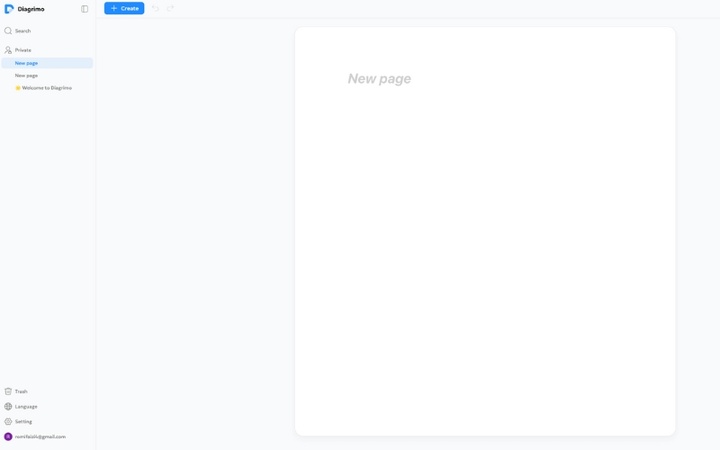
You begin by clicking the Create button to open a new page. This becomes your workspace where writing and visuals come together, so there's no need to switch tools.
-
Step 2. Let AI Build the First Draft
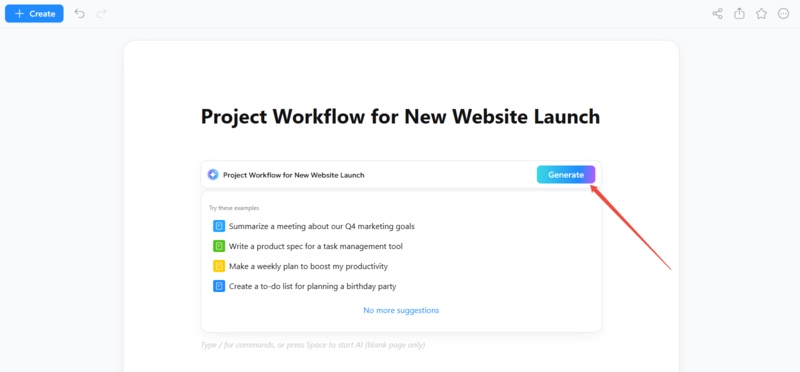
Inside the editor, press the space bar and type your topic, such as a project plan or report title. For example, "Project Workflow for New Website Launch." Diagrimo's AI instantly creates a draft.
-
Step 3. Structure Your Content Easily
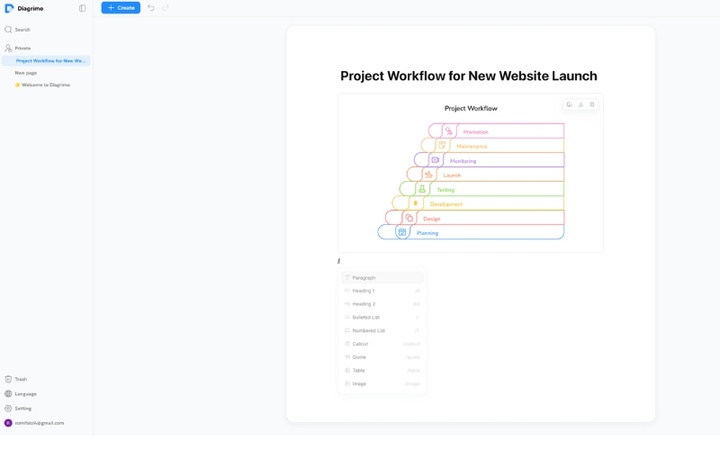
As you write, typing "/" lets you add headings, lists, tables, images, and more. This makes organizing your content quick and keeps everything neat and readable.
-
Step 4. Convert Text Into Diagrams
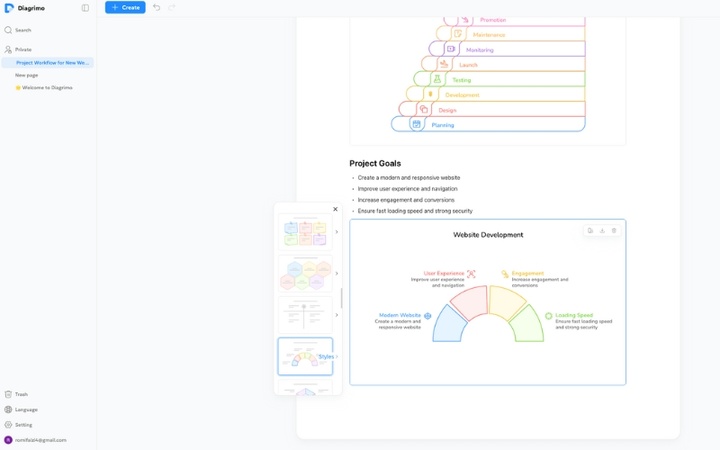
When your text is ready, simply select it and click the AI Visualize icon. Diagrimo reads the content, understands the flow, and turns it into a clear visual automatically.
-
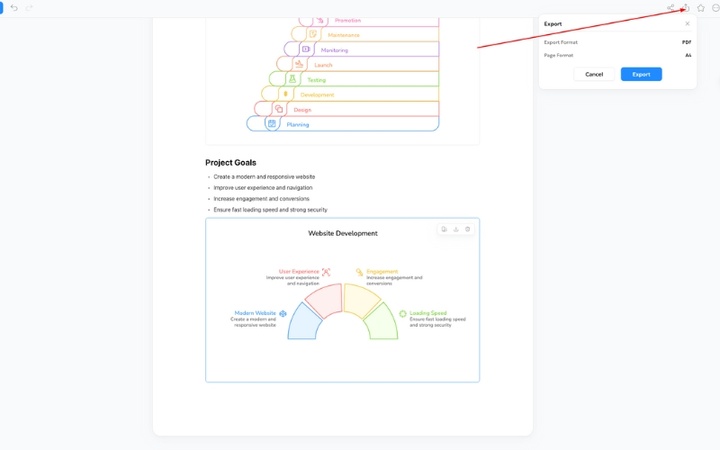
Step 5. Export and Share With Confidence
Once finished, you can export your work as a PDF, download visuals as images, or share them with others for collaboration or presentations.
This simple process removes the usual design stress and helps you create professional visuals faster, even if you're starting from scratch.


Key Features of Diagrimo
Diagrimo comes with a set of practical features designed to make visual creation faster, easier, and more accessible for everyday users. Below is a detailed look at its core features, based on real usage and product guidance.
AI Visualization
At the heart of Diagrimo is its AI visualization system. The tool reads your written text, understands the structure, and turns it into a clear visual automatically. It identifies relationships, steps, and hierarchies in your content and arranges them into diagrams that are easy to understand. This removes the need to manually build charts or worry about layout accuracy.
AI Writing Assistant
Before visualizing, you can use Diagrimo's built-in assistant to:
-
Draft content
-
Improve clarity and flow
-
Correct grammar
-
Simplify complex text
-
Translate content
This expands Diagrimo beyond just diagrams; it's also a writing productivity tool.
Smart Diagram Selection
Diagrimo doesn't force you to choose a diagram type upfront. Instead, it analyzes your text and suggests the most suitable visual format. For example, step-based content may become a flowchart, hierarchical information may turn into a pyramid, and cause-and-effect content may appear as a fishbone diagram. This smart selection saves time and reduces guesswork.
Customizable Styles & Templates
After a diagram is generated, Diagrimo allows you to refine the visual using modern style options. You can adjust colors, fonts, and layouts to match your needs. These customization options help ensure the final visual looks clean, professional, and ready for presentations or reports.
Sharing & Collaboration
Diagrimo supports easy sharing and collaboration. You can share visuals through links, download them as PDFs or images, and work together with others in real time. This feature is especially useful for teams working on presentations, reports, or shared documents.
Quick Start & Low Learning Curve
One of Diagrimo's biggest strengths is how easy it is to use. Even first-time users can create visuals within minutes. There's no need for tutorials or technical training, which makes it a strong alternative to traditional tools that often take time to learn.
Document Management Support
Diagrimo also helps users stay organized. You can save, manage, and group visuals within projects, making it easier to find and reuse your work later. This reduces clutter and keeps all related visuals in one place.
Wide User Suitability
Diagrimo is suitable for:
-
Professionals planning projects or reports
-
Educators teaching lessons or outlining concepts
-
Students simplifying study material
-
Content creators preparing visuals for social media
-
Teams needing shared visuals quickly
Multi-Language Support
To support users worldwide, Diagrimo offers multi-language support. This allows people to create visuals in their preferred language instead of being limited to English, making the tool more accessible globally.
Real-World Use Cases
Diagrimo is not just a novelty; it solves real problems across multiple scenarios:
-
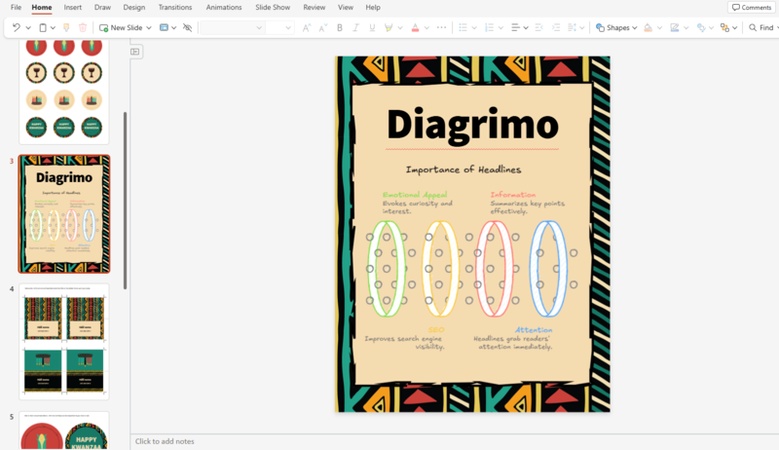
Presentations & PowerPoint: Users can convert outlines or
bullet points directly into visuals for slides, saving time and improving
message clarity.
-
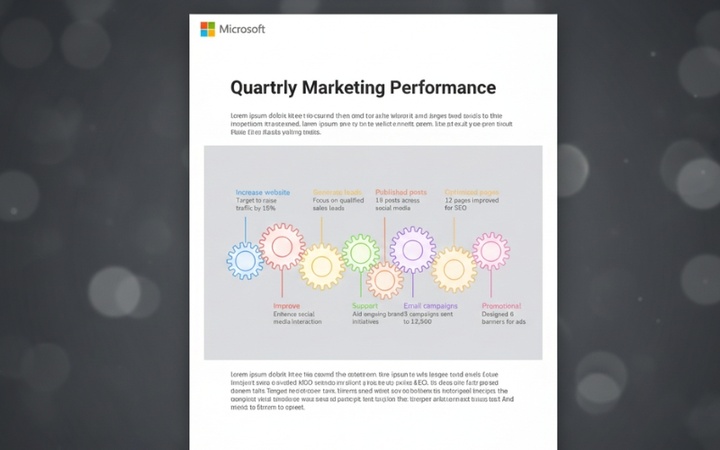
Work Reports & Documentation: Complex processes or insights in
reports become more digestible when visualized. Diagrimo automates the
diagram side so you can focus on content.
-
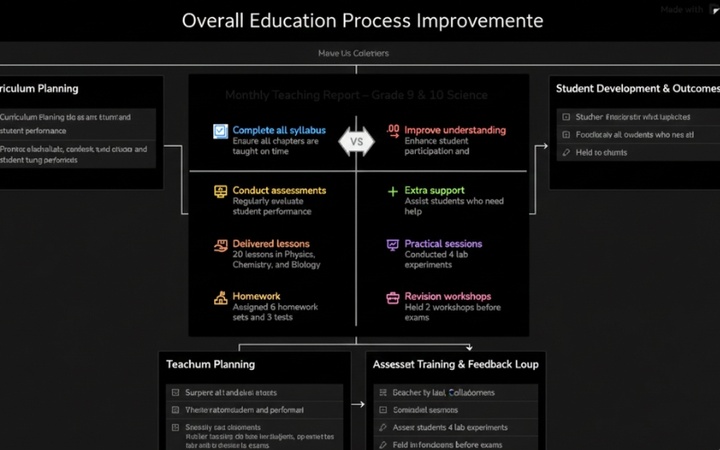
Education & Teaching: Teachers and students can quickly turn
lesson points into mind maps, flowcharts, or concept visuals, enhancing
understanding and engagement.
-
Social Media & Marketing: Content creators benefit from
polished text-to-visual graphics for posts and infographics without
needing design skills.



Pros and Cons
To help you decide if Diagrimo is right for your needs, here's an honest look at its advantages and limitations based on real usage and features.

- Fast Text-to-Visual Conversion: Diagrimo quickly transforms written notes or drafts into structured diagrams, charts, and visuals in seconds, cutting down hours of manual layout work.
- Smart Diagram Suggestions: The AI analyzes your content and automatically suggests suitable visual formats like flowcharts, mind maps, and pyramids, reducing guesswork.
- Built‑In Writing Support: Before visualization, you can refine, simplify, or translate your text using the AI assistant, improving clarity and making visuals more accurate.
- Collaboration and Sharing: Diagrimo offers real‑time collaboration and easy sharing via links, plus exporting options like PNG and PDF for presentations and reports.
- Multi‑Language Support: The platform supports several languages, enabling global teams and educators to work in their preferred language without limitations.
- Beginner‑Friendly Interface: The workflow is intuitive and runs in a web browser, so even users without design skills can produce professional visuals quickly.

-
Limited Template Variety: Compared with some competitors, the number of built‑in templates and styles is still growing, so you may find fewer visual presets than expected.
-
Export Format Restrictions: Currently, Diagrimo mainly supports PNG and PDF exports; additional formats like SVG or PPTX are not yet widely available.

Diagrimo has indicated that future updates will expand template libraries, add more export options, and enhance customization features. These improvements are expected soon, so its capabilities will continue to grow.
Final Thoughts
This Diagrimo review shows that the platform stands out as a AI diagram generator that genuinely simplifies visual communication. Its automatic interpretation of text, coupled with writing assistance and collaboration tools, makes it a strong choice for professionals, educators, students, and creators alike.
While it won't replace advanced analytics software, it excels at turning ideas into visuals quickly, making complex concepts easier to share, discuss, and present. For anyone who struggles with traditional diagram tools or simply wants to save time, Diagrimo offers a powerful, user-friendly alternative.

- AI text-to-visuals turns ideas into diagrams or infographics.
- Customizable styles match your brand and presentation tone.
- Share anytime by exporting in various formats and a link.
- No design skills needed for presentations, teaching, or reports.

FAQs
-
What types of visuals can Diagrimo generate?
-
Do I need design experience to use Diagrimo?
Is Diagrimo available for free?
-
Can visuals be exported for presentations or reports?
-
Is Diagrimo suitable for team collaboration?
Diagrimo supports a variety of visual formats, including flowcharts, mind maps, pyramid diagrams, fishbone charts, timelines, and more. This flexibility makes it ideal for professionals, educators, and content creators who need to present information clearly and effectively across different platforms, from presentations to reports.
No design experience is required to use Diagrimo. Its AI automatically interprets your text, organizes the layout, and generates structured visuals. This allows anyone, even beginners, to create professional-quality diagrams quickly without worrying about design principles or manual adjustments.
Yes, Diagrimo offers a free tier with daily usage credits, allowing users to create diagrams and test features without cost. For more extensive use, paid plans are available, offering additional credits, priority support, and access to advanced features for professional or frequent users.
Absolutely. Diagrimo allows you to export your diagrams as high-quality images or PDFs. These exports can be easily integrated into PowerPoint presentations, work reports, documents, or shared online, ensuring your visuals look professional and are ready for any purpose.
Yes, Diagrimo is designed for collaboration. You can share diagrams through links, enable real-time editing, and work with team members simultaneously. This makes it easy for groups to create, review, and finalize visuals efficiently, improving productivity and communication within teams.
